
NFC and QR Tags for Maintenance: What a Scan Proves — and What Happens When It Doesn’t
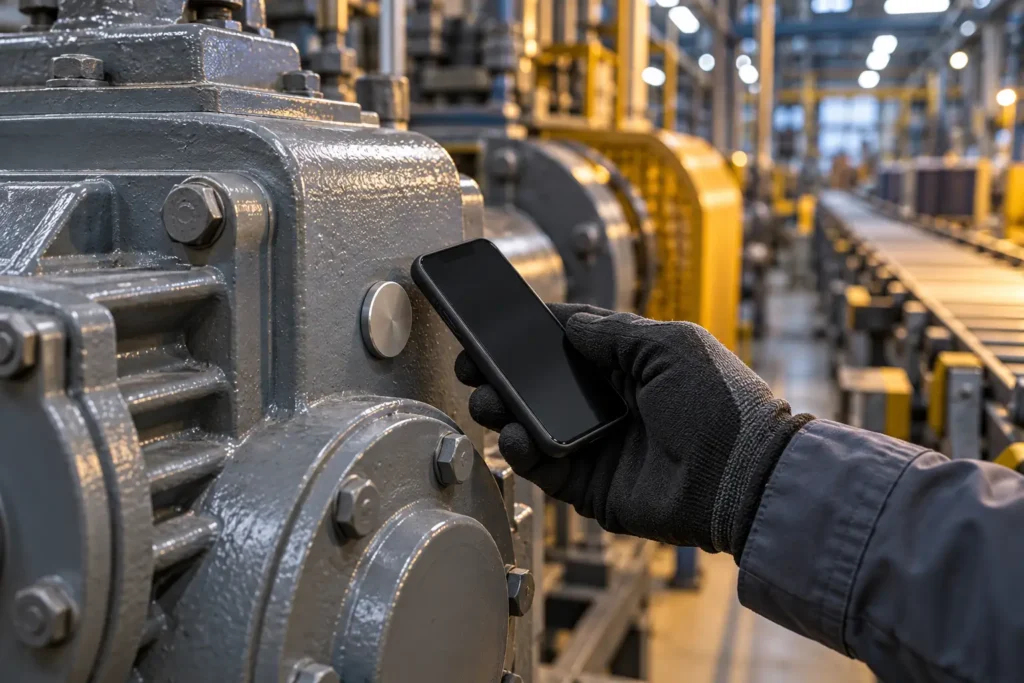
A maintenance record says the transfer pump was greased on Tuesday morning. The signature is there, the checklist is ticked, the job is closed. The question a plant manager eventually asks is simpler than any of that: was anyone actually standing at the pump?
Paper rounds cannot answer it. Neither can a mobile app that is only a paper form on a screen — a technician can tick twelve machines from the canteen in ninety seconds, and the record looks identical to twelve real visits. This is not a story about dishonest crews. It is about what happens on a bad shift: two people off sick, a line down, and a lubrication round that quietly becomes a paperwork exercise because nothing in the system can tell the difference.
NFC and QR tags are the usual answer. They are a good answer — but not for the reason most buyers assume.
What a tag scan actually proves
A tag is a small sticker or disc fixed to the machine itself. Each one carries an identifier bound to one place in your asset structure — this gearbox, this filling head, this drive unit. When the technician holds the phone against it, the app checks that the tag belongs to the current task. Scan the wrong machine and the app refuses it and says so: this tag is not for this task.
So a scan proves something narrow and useful: a phone was physically next to that machine at that moment. It does not prove the grease went in. It does not prove the work was good. Any vendor who tells you a scan proves the job was done properly is overselling a proximity check.
Narrow as it is, that one fact changes the character of a maintenance record. A completed task stops being a claim and becomes a claim with a witness. For the same reason, the medium barely matters: an NFC tag is faster with gloves on and survives grease and washdown better; a QR or barcode label costs almost nothing and works on any phone with a camera. Most plants end up with both — NFC in the wet and dirty areas, printed codes everywhere else.
The scan is the easy part
Here is what separates a system that works on a real shop floor from one that gets abandoned in a quarter: the scan that does not happen.
It will not happen more often than you expect. The tag is painted over. The label is behind a guard that is bolted shut while the line runs. A pressure washer tore the disc off. The technician has a phone with no NFC chip. The machine is inside a cage that is locked during production. None of this is misconduct; it’s Tuesday.
A system that treats the scan as an absolute lock fails here. The technician did the work, cannot close the job, and learns within a week that the honest move is to stop using the app for that machine. A system with no enforcement at all fails differently: the scan becomes optional, then ignored, and you are back to unverifiable ticks.
What happens when the scan can’t happen
The useful middle ground is simple to describe: you can skip the scan, but you cannot skip it quietly.
In Smart Maintenance Task Manager, a task point can be marked as requiring a scan — the technician must present the tag before submitting. If they don’t, the task doesn’t simply fail. The app asks for a reason: a written note, or a remark chosen from your own list. Raising a repair request counts too, because “the tag is destroyed” is itself a finding worth acting on. Only then does the completion go through.
Two further constraints keep that from becoming a loophole. Whether skipping is permitted at all is a decision you make per section, not one the technician makes at the machine — and where it is permitted, you can attach your own message explaining what is expected. And there is a cap on how often a scan can be skipped in a day, so an unreadable tag is an exception, not a habit.
Most importantly, every completion answers one question—did the scan happen, yes or no—and that answer syncs to the office with the rest of the job.
The number worth watching is the skip rate
Once skips are recorded rather than invisible, they stop being a compliance stick and start being a maintenance signal. A section that produces skip after skip is telling you something concrete: the tag there is unreadable, or unreachable while the line runs, or was never fixed to the machine properly in the first place.
That is why the reporting matters more than the scanning. The dashboard carries a count of skipped scans on tasks that required one. A dedicated report groups them by section, asset, and line, ordered with the worst offenders first — so the fix is a morning with a label printer on one line, not a memo to the whole plant. Each skip can be reviewed and accepted or turned down on its merits.
| How work is recorded | Can you tell it happened at the machine? | What the office sees when it didn’t |
|---|---|---|
| Paper round sheet | No | Nothing — the sheet looks the same either way |
| Mobile app, no tags | No, but the time is recorded | Nothing, unless someone reads the timestamps |
| Mobile app with NFC / QR tags | Yes, for the machines that carry a tag | A skip with a written reason, counted and attributable to a section |
Two details that decide whether the record holds up
The clock on the phone. A completion is stamped by the device that recorded it, and device clocks drift — sometimes by hours, occasionally by days after a battery dies. Every completion stores the gap between the phone’s clock and the server’s, so a record made on a device with the wrong clock can be spotted instead of quietly sitting in your history with an impossible date.
What happens when you copy a machine? Plants are repetitive: eight identical filling heads, twelve identical drives. Any decent system lets you duplicate a machine and its task structure rather than building each one by hand. A tag identifier must never be copied along with it — if it were, two machines would answer to the same tag and your proof would be worthless exactly where you have the most equipment. Copies arrive without a tag, waiting to be given their own.
It has to work where there is no signal
The places that most need a verified record — basements, tank farms, the back of a press hall, a pit floor — are the places with no coverage. Scanning, the reason for a skip, the photo and the readings all have to be captured on the device and sync later, in full, without the technician thinking about it. If verification only works within reach of the office Wi-Fi, it does not work.
What to ask before you buy
Most vendors will demonstrate a successful scan. That demo tells you almost nothing, because the happy path is the easy path. Ask about the exceptions instead:
- What happens when a technician cannot scan? Can they proceed, and what does the system require first?
- Is a skipped scan recorded as a fact on the completed job, or is it simply absent?
- Who decides whether skipping is allowed — the office, or whoever is holding the phone?
- Can I see skipped scans grouped by area, so I know which tags to replace?
- Does scanning the wrong machine get rejected, or accepted quietly?
- If I duplicate a machine, does it inherit the original’s tag?
- Does all of it work with the phone in flight mode?
The answers separate genuine verification from a scanning feature. A tag on a machine is cheap and easy. Knowing what happened on the rounds where the tag did not get scanned is the part that changes how a plant runs — and it is the only part that will still matter to you in a year.
Smart Maintenance Task Manager supports NFC and QR/barcode scanning on iOS and Android, works fully offline, and reports skipped scans by section so you can fix the tags that are causing them. See how it works on the Mobile App page, or book a demo and bring your worst-tagged line.