
Safety Enforced. Shutdowns Under Control.
LOTO and safety procedures gate every task, shutdowns are logged with a reason that sticks, and deferred work is cleared deliberately during planned turnarounds.
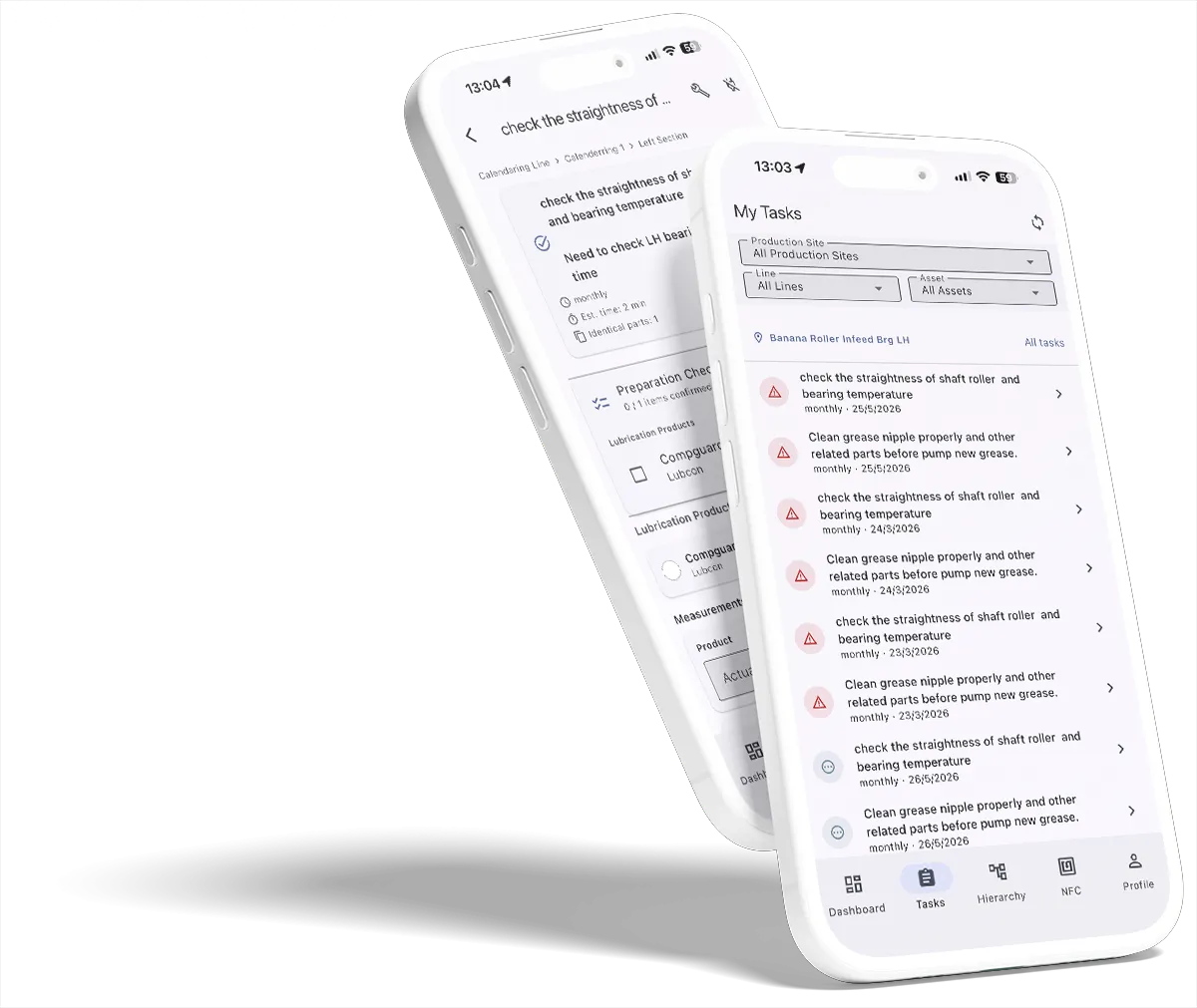
Safety Built Into Every Task, Not Bolted On
In industrial environments, safety is not optional. Smart Maintenance Task Manager enforces safety procedures before any maintenance work begins on lockout-required machines.
When a technician tries to start a task on a machine that requires Lockout/Tagout (LOTO), the app shows the full safety acknowledgment screen. The technician must confirm each safety step before the maintenance form becomes accessible. No bypass.
- LOTO gate: full-screen safety acknowledgment enforced
- Step-by-step safety procedure checklists
- Safety measures linked to specific assets
- Time-stamped, technician-attributed safety confirmations
- Complete audit trail with photo evidence
- Shutdown management with formal reason logging
- Shutdown & turnaround maintenance — defer-to-shutdown and shutdown-only tasks
- Repair request workflow with manager approval
“Safety is the first step. Smart Maintenance Task Manager won't let technicians skip it.”
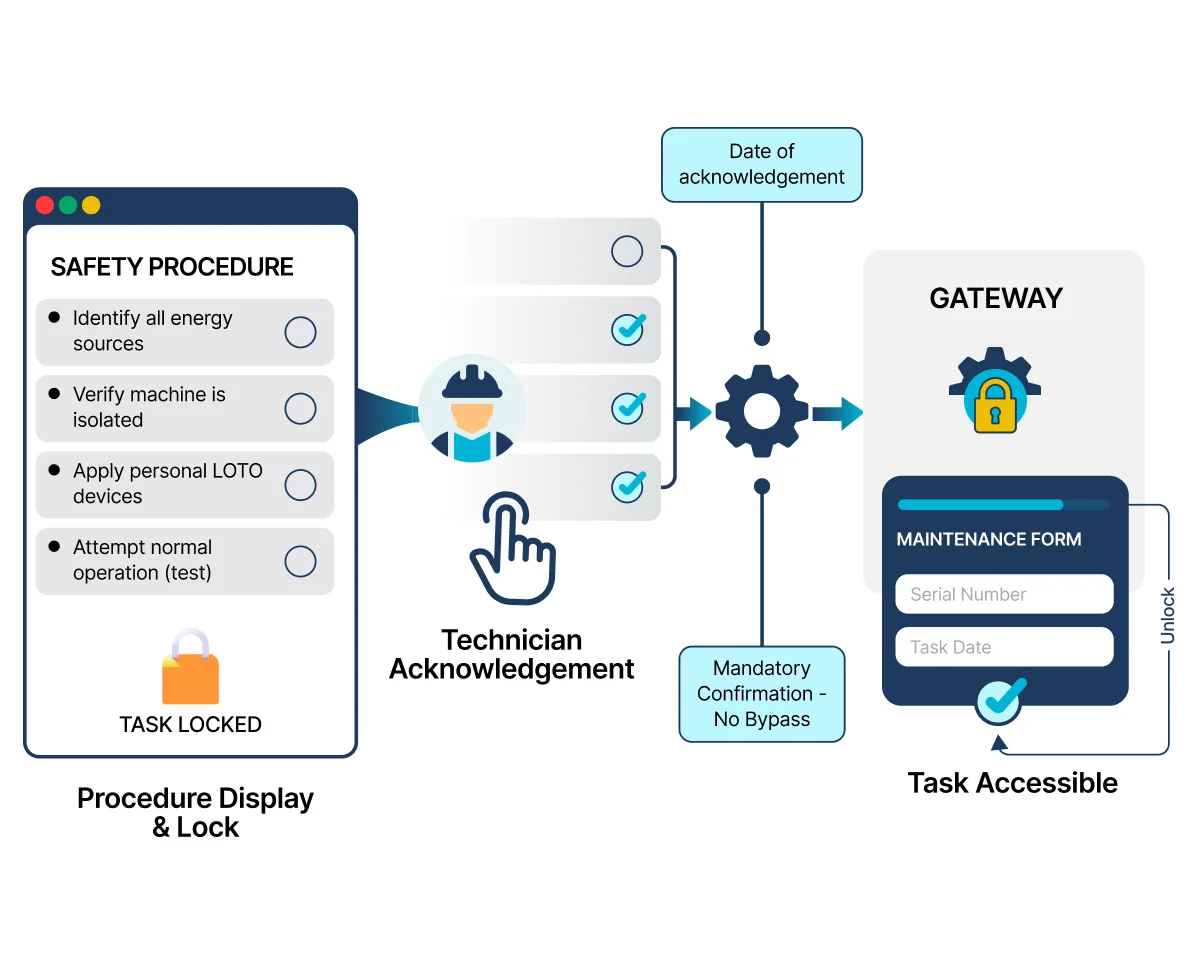
How LOTO Safety Enforcement Works
Safety acknowledgment is enforced at the moment a technician opens a task on a lockout-required machine. Every confirmation is timestamped and attributed to the technician — no shortcuts, no manual bypass.
Mark the machine as LOTO-required
In the asset hierarchy on the web dashboard, flag specific machines as Lockout/Tagout-required. The setting follows the asset everywhere it appears.
Define the safety procedure
For each LOTO-required machine (or asset class), define the safety acknowledgment steps — energy isolation, verification, tag-out, PPE, etc. Each step is a discrete checklist item.
Technician opens a task on the machine
When a technician taps an NFC tag (or selects a task) on a LOTO-required machine, the app intercepts before the maintenance form loads.
Full-screen LOTO gate appears
The app displays the safety acknowledgment screen full-screen. The maintenance form is hidden and unreachable until every step is confirmed. There is no skip button.
Each step confirmed, logged, and stored
The technician confirms each safety step individually. Every confirmation is timestamped, attributed to the technician's identity, and saved to the audit trail with the task. Only then does the maintenance form unlock.
Log Every Shutdown, With a Reason That Sticks
Record planned and unplanned shutdowns with a formal reason, timestamp, and the technician who reported it — feeding a clean shutdown report for every site. Stop an in-progress shutdown the moment the line is back, so the record always reflects what really happened on the floor.
- Predefined shutdown reasons per site
- Start + stop timestamps with attribution
- Stop-shutdown gate when production resumes
- Shutdown Report with filtering by site, line, reason, period
Spot a Problem Mid-Task? Raise It in Two Taps
Technicians submit repair requests straight from the app while running a task. Requests are tracked, reportable, and notify the right people — so an unexpected finding during a routine inspection becomes an actionable ticket without leaving the work.
- One-tap repair request from inside an active task
- Optional photo evidence + free-text description
- Supervisor notification + approval workflow
- Repair Request Report with status history per asset
A Planned Shutdown Is a Work Container, Not Just a Pause
Not every fault needs to be fixed today. Smart Maintenance Task Manager lets your team park non-urgent repairs for the next planned shutdown and surface shutdown-only tasks (overhauls, internal inspections, alignments) without cluttering the normal calendar — so each stop earns its place by clearing real work, not just suspending the schedule.
Park non-urgent repairs deliberately
A repair found on a non-critical machine that shouldn’t be fixed now joins a tracked Deferred Maintenance Backlog instead of slipping. Web supervisors triage from the repair report; field technicians can defer from the mobile repair form. An aging-backlog reminder nudges planners so deferred work isn’t forgotten.
Schedule work that needs equipment stopped
Mark recurring tasks — internal inspection, alignment, overhaul — as shutdown-only. They never appear on the running calendar and never count as overdue. They surface as candidates for the next shutdown of their scope, with an advisory "due since last shutdown" hint.
The planner chooses what each stop carries
Nothing is pulled in automatically. The person managing the shutdown picks the work each stop carries from the deferred backlog and the eligible shutdown-only tasks. A short stop can carry a few items; a full turnaround can clear the backlog. Asset criticality guides "fix now vs defer" at the point of decision.
The calendar knows when a line is down: schedule or reassign a task onto a line that's in an active shutdown and the planner gets a heads-up first — a warning, not a hard block — so the running schedule and the stop don't collide.
Capabilities in Detail
Every capability in this area, with a one-line note on what it does.
See Every Feature in a Live Demo
Our team will walk you through the platform — web and mobile — tailored to your industry and maintenance workflows.