
How Reporting Chains Keep Maintenance Data Where It Belongs
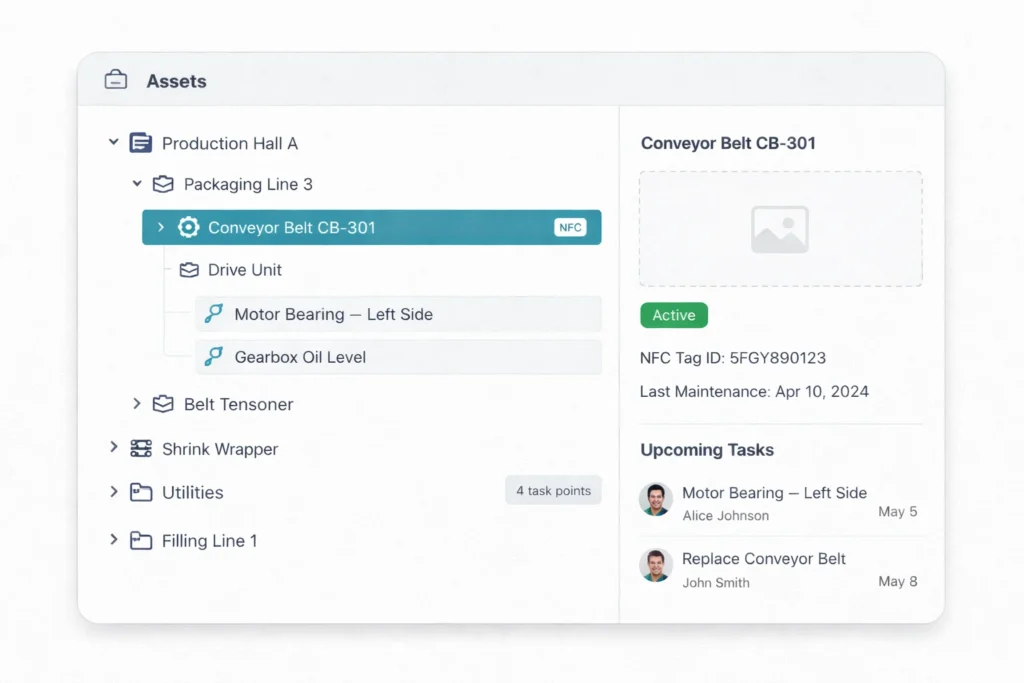
One of the quieter failure modes in maintenance software is the dashboard that shows everyone everything. A line supervisor logs in to check what their three technicians completed overnight — and sees seventy-four tasks from across the whole plant, plus six sites’ worth of overdue alerts, plus the maintenance director’s report queue. Their actual answer is buried somewhere in there.
Smart Maintenance Task Manager’s Reporting Chains feature, now live, fixes that. The fix is small and structural: the software learns your real org chart, and every user sees exactly the data in their scope — no more, no less.
What’s shipped
You can now define multi-level reporting chains in the web portal: a plant manager oversees several supervisors; each supervisor oversees the technicians on their line. The chain can be as flat or as deep as your real organization. Once it’s set, data scoping is automatic.
- A technician sees their own assigned tasks on the mobile app — the same workflow as before.
- A supervisor sees the tasks, schedules, KPIs, and reports for the technicians under them — and nothing from other teams.
- A plant manager sees the consolidated picture across every supervisor they oversee, with drill-down into any team or technician when needed.
- A director at the top of the chain gets the whole-organization view, with the same drill-down all the way to a single task.
The hierarchy lives in one place. The dashboard reads from it. The reports read from it. The mobile app reads from it. When you change a technician’s reporting line in the portal, their data scope updates accordingly on their next mobile sync — no permission audit, no per-user filter to reset.
One plant, four points of view
Take a single site with a maintenance manager, three line supervisors, and around a dozen technicians spread across them. The same event — a full weekend of maintenance work — looks different to each of them, and that’s exactly the point.
- A technician on Line A opens the app and sees the tasks assigned to them for their shift—nothing about Line B, nothing about the plant at large.
- The Line A supervisor sees Line A’s completion rate, overdue tasks, and technician workload — the four people they’re actually responsible for — and can act on a genuine gap instead of scrolling past everyone else’s.
- The maintenance manager sees all three lines rolled up into one picture, spots that Line C fell behind, and drills straight into that supervisor’s team without asking anyone to run a report.
- Add a regional director above the manager, and they get the same treatment one level up: every Site they own, consolidated, with a path down to a single task point when they need it.
Nobody is filtering anything by hand. Each person’s view is a consequence of where they sit in the chain.
Why “show only what they manage” is harder than it looks
Most CMMS products give you role-based access: technician, supervisor, manager, admin. That’s table stakes — and Smart Maintenance Task Manager has had it from day one. But role-based access alone is too coarse. It tells the software what you’re allowed to do, not what you’re responsible for.
A line supervisor and a maintenance supervisor in another department both have the “Supervisor” role — but their data should not look the same. The Reporting Chains feature is what makes that distinction structural rather than something the supervisor has to filter manually every morning. Role says what kind of thing you can do; the reporting chain says which people and equipment it applies to. You need both, and most tools only ship the first.
What exactly gets scoped
The reporting chain isn’t a filter on one screen — it’s the lens the whole product looks through. Once your chain is in place, it scopes:
- Tasks and schedules — a supervisor’s board shows their teams’ work, current and upcoming, not the plant’s.
- KPIs and reports — completion rates, overdue counts, and effectiveness scores are computed over the people a manager is responsible for, so the number means what it looks like it means.
- The mobile app — technicians and mappers in the field see only their own remit, which keeps the app fast and uncluttered on the floor.
- Alerts and escalations — when a task goes overdue, it surfaces to the person actually accountable for it, not to everyone with a management role.
Why this matters on the floor
- Signal over noise. Supervisors see their team’s overdue tasks, not the whole plant’s — so the alert they get is one they can actually act on.
- Cleaner accountability. KPIs and reports are scoped to the people the manager is responsible for, so completion rates and overdue counts mean what they appear to mean.
- No oversharing. A line supervisor on Line A does not see the operational details of Line B’s team. This matters for HR-sensitive data, for performance reviews, and for any organization with overlapping or competing reporting structures.
- Cleaner compliance reviews. Every completed task is recorded against the technician who performed it, and the reporting chain makes the line of responsibility above them explicit — no need to reconstruct org charts after the fact.
- Reorganizations propagate cleanly. When a technician moves from one supervisor to another, the change goes in once. Their new manager sees them on the next sync; their old manager stops seeing them—no retroactive permission scrubbing.
Reorganizations without the cleanup
Real maintenance organizations don’t hold still. Technicians move between lines, supervisors get promoted, a shift gets restructured, two departments merge. In a permission-based system, every one of those changes is a small project: figure out what the person could see, work out what they should see now, and edit a list of grants by hand — then hope nobody was missed. In practice, the cleanup lags the reality, and access quietly drifts out of step with the org chart.
Because Smart Maintenance Task Manager derives visibility from the reporting chain, the change is a single edit. Move a technician to a new supervisor and their data scope moves with them — onto the new manager’s board, off the old one’s — on the next mobile sync. The org chart and the access model are the same thing.
Pairs with the Site Switcher
Reporting chains and multi-site management solve the same problem from two directions. The chain determines which people and equipment you’re responsible for; the Site Switcher lets you move between the facilities that span that responsibility — without either one ever expanding your access. Run several plants, and the two together give you a clean group view at the top and a focused, uncluttered view for every supervisor and technician below.
Where to find it
Reporting Chains is live for every Smart Maintenance Task Manager customer. The hierarchy editor lives in the web portal under user management. You can model your existing org chart in minutes — or, more often, model the one you should have and never quite got around to documenting.
Full feature breakdown on the Features page, or book a demo if you want to walk it through with us against your own org structure.
Reporting Chains is part of the full Smart Maintenance Task Manager platform — not a paid add-on, not an enterprise-tier feature. Every subscription includes it.